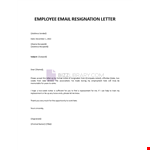
Are you an employee looking to submit your resignation? We understand that the process can be daunting, but we're here to help. In this article, we will guide you through the steps of creating a professional resignation email to HR.
When composing your email, it's important to clearly state your intention to resign. Include the necessary details such as your name, position, and the effective date of resignation. Additionally, if you have a specific reason for resigning, it's advisable to mention it briefly in your email.
One question that often arises is how to attach a resignation letter to the email. To do this, you can simply include the letter as an attachment in a common format such as PDF or Word document. Alternatively, you can copy and paste the content of your letter directly into the body of the email.
Keep in mind that brevity is key when it comes to writing a resignation email. Aim to keep it short and concise, highlighting only the necessary information. This will make it easier for HR to process your resignation quickly.
If you're unsure about how to structure your email or what to include, fret not. We offer a variety of resignation email templates that can be customized to suit your needs. Our templates are designed to help you make a professional and positive exit from your current role.
So, whether you're looking for guidance on writing a resignation email, attaching a resignation letter, or seeking pre-made templates, our resources are here to assist you throughout this process. Trust us to make your resignation experience as smooth as possible.