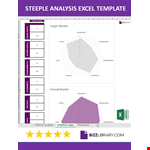
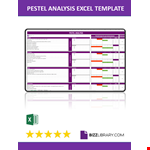
Are you looking to perform a Pestel analysis in Excel? Look no further! In this article, we will guide you on how to conduct a Pestel analysis using the power of Excel, with a focus on the US market.
Excel is a versatile tool that can help you organize and analyze data effectively. By using Excel, you can easily create spreadsheets and perform various calculations to gain valuable insights into your business environment.
Now, let's dive into how to do a Pestel analysis in Excel. Start by gathering relevant information about the factors that impact your business. This includes political, economic, social, technological, environmental, and legal aspects.
Next, open Excel and create a new spreadsheet. Label the columns for each of the Pestel factors and input the corresponding data. Use formulas and functions in Excel to calculate and analyze the data, allowing you to identify trends, risks, and opportunities.
To make it even easier for you, we provide examples of Pestel analysis in Excel focused on the US market. Explore our pestle excel templates to kickstart your analysis and gain valuable insights for your business.
Ready to master Pestel analysis in Excel? Follow our step-by-step guide and leverage the power of Excel to make informed decisions for your business!