Are you tired of sending plain and boring emails? Step up your email game with an Outlook personal email signature. Enhance your professional image and make a lasting impression with every email you send.
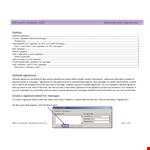
With our easy-to-use templates, creating your custom Outlook personal email signature is a breeze. No coding skills required! Simply choose from a variety of stylish and professional designs, and add your own contact information, logo, and social media links. You can also customize fonts, colors, and layout to match your branding and personal style.
Once you've created your signature, it's just a click away. Easily add your signature to your outgoing emails with the click of a button. No more manually copying and pasting your signature each time. This saves you time and ensures consistency across all your communication.
Not only can you effortlessly add your signature to your emails, but you can also download it in various formats like .docx for easy editing and sharing. Whether you need to make changes or use it in offline documents, our downloadable options have got you covered.
Ready for a fresh, new Outlook personal email signature? Say goodbye to plain and hello to professional with our easy-to-use templates. Try it now and let your email signature speak volumes about your brand and professionalism.