Are you wondering how to express gratitude professionally when you receive an email? Whether you're sending invoices, responding to emails, or providing receipts, it's important to convey your appreciation effectively. In this article, we'll explore some best practices for email etiquette and provide helpful examples and templates to ensure you leave a positive impression.
When it comes to invoice emails, it's crucial to have a clear email subject line. Consider using a concise, professional subject line such as "Invoice - [Client Name]." This immediately informs the recipient about the purpose of the email and facilitates easy organization.
Furthermore, crafting a thoughtful message body can reinforce the appreciation you feel for your customer. For example, you can say, "Thank you for your recent purchase. We appreciate your business and are delighted to provide our services. Attached is the invoice as requested."
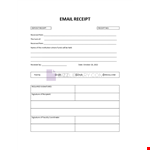
Additionally, having a well-designed receipt template can enhance professionalism and ease of use. Consider utilizing a payment receipt email template that includes important elements like the recipient's payment details, transaction ID, and a brief thank-you message.
Lastly, if you're wondering how to send a receipt by email, it's straightforward. Simply attach the receipt as a PDF or include it within the body of the email. Be sure to mention the purpose of the email, such as "Here is your payment receipt for [product/service]." This ensures clarity and convenience for the recipient.
By following these guidelines and utilizing invoice message examples, email receipts, payment receipt templates, and proper emailing practices, you can communicate your gratitude effectively and maintain a professional image.